24H Mold Inspection logo24H Mold InspectionReview Tracker Home

Getting the review link

Follow these steps on your phone right after the customer posts their review.

  1. Step 1

    Open the location's Google listing and tap Reviews.
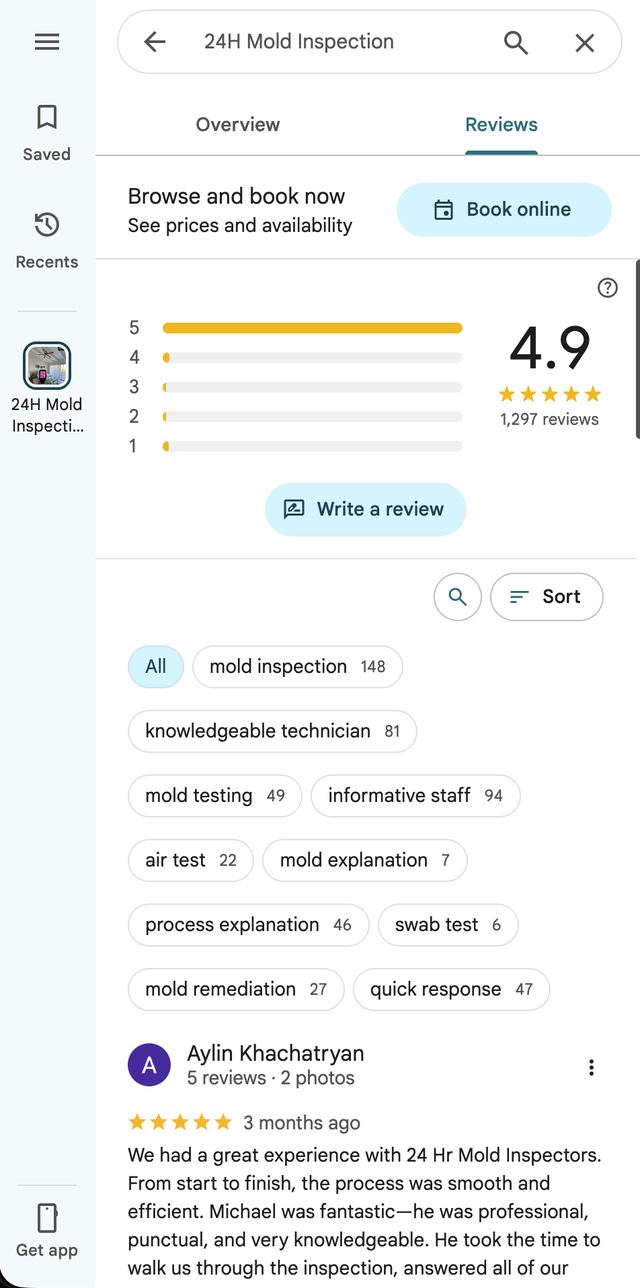
    Google step 1: Open the location's Google listing and tap Reviews.
  2. Step 2

    Tap the sort icon next to search.

    Google step 2: Tap the sort icon next to search.
  3. Step 3

    Choose "Newest" so the latest review is at the top.
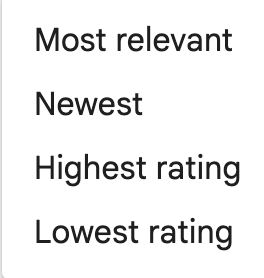
    Google step 3: Choose "Newest" so the latest review is at the top.
  4. Step 4

    Find the review, tap the ⋮ menu, and choose "Share review".
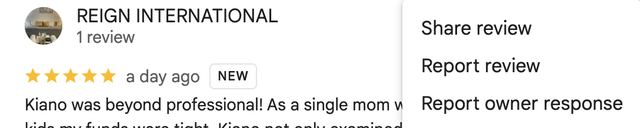
    Google step 4: Find the review, tap the ⋮ menu, and choose "Share review".
  5. Step 5

    Tap "Copy Link" — that's the link to paste into the tracker.
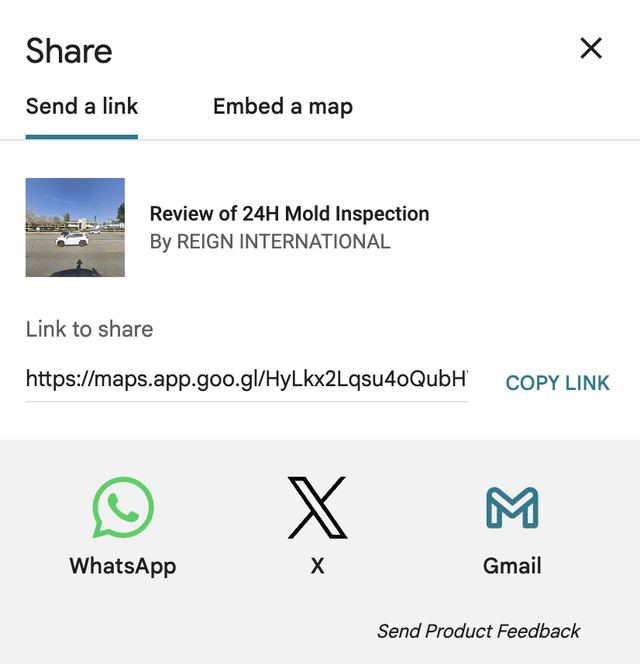
    Google step 5: Tap "Copy Link" — that's the link to paste into the tracker.